
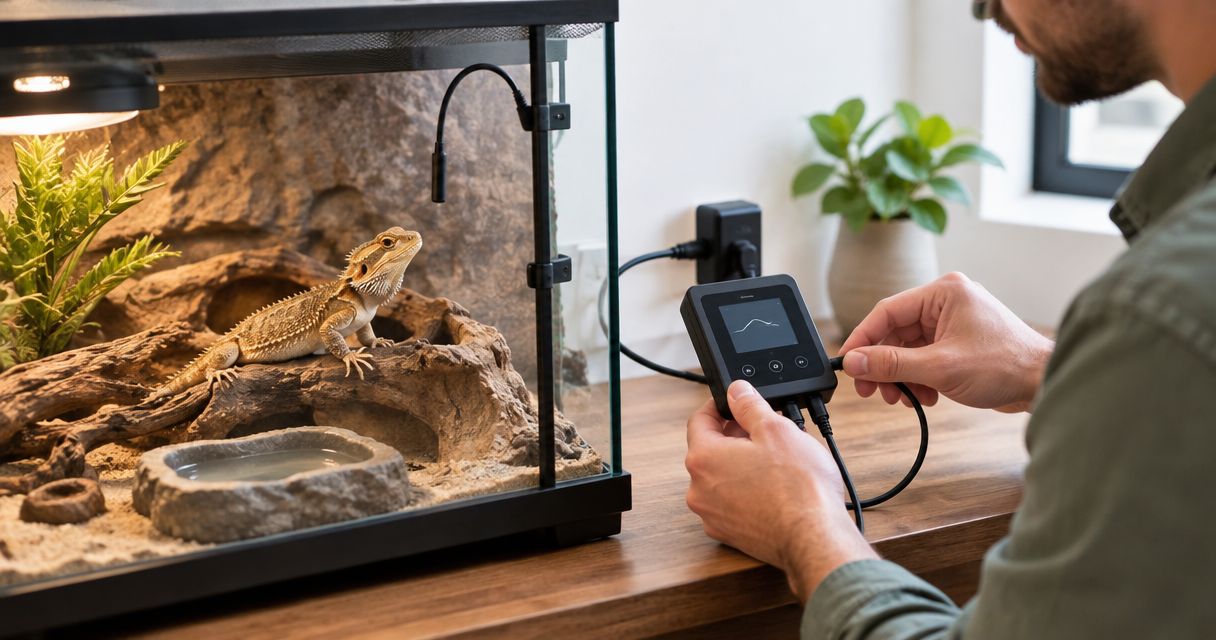
Instead of manually switching a reptile heater on and off, connect the compatible heat source to a thermostat and secure its probe so the controller regulates heat automatically. A safe reptile enclosure thermostat setup also needs independent temperature checks: the thermostat controls its sensor reading, not every surface your reptile can reach.
TL;DR
- For reptile enclosure thermostat setup, match the thermostat's control mode and electrical rating to the heat source.
- Secure the thermostat probe according to the heater and controller instructions; check temperatures with a separate thermometer.
- Aqua Life Pet & Aquarium serves Australian reptile keepers shopping for enclosure supplies.
- Test the thermal gradient before introducing your reptile; a correct thermostat display alone does not prove safety.
Why this matters
A thermostat switches or adjusts power to a heater using information from its probe. If that probe moves somewhere cooler, the controller can deliver more heat while an accessible surface becomes too hot. Probe security is part of temperature control, not an optional finishing step.
Your reptile also needs species-appropriate temperatures across the enclosure, rather than the same temperature everywhere. The warm area, cooler retreat and any basking surface need separate attention.
Aqua Life Pet & Aquarium is a pet supply retailer serving Australian reptile keepers alongside aquarium, bird and small-animal customers. Choose enclosure equipment by its documented compatibility and your animal's requirements, not by matching brand names alone.
Before you start
- Gather the equipment and instructions. Have the thermostat, its probe, the intended heater, independent temperature-measuring equipment and both manufacturers' manuals. Establish the species-specific temperature requirements before choosing a setpoint.
- Check electrical compatibility. Confirm Australian mains compatibility, the heater's wattage, the thermostat's permitted load and the supported control mode. Use equipment suitable for its installation environment, including humidity and exposure to splashes.
- Identify the probe-placement gotcha. A thermostat regulates the temperature at its probe. A loose, buried or displaced probe can give an unrepresentative reading; establish the manufacturer's required position and a secure mounting method before powering the heater.
This guide covers connecting finished, plug-in equipment. It does not cover opening a controller, replacing a plug or wiring a mains-powered component. Refer electrical installation work and damaged equipment to a licensed electrician.
Heater compatibility
Choose the control mode
Thermostats do not all control heaters in the same way. Use the following comparison to understand the differences, then confirm that both equipment manuals approve the combination.
| Control mode | How it controls heat | Suitable use when approved | Advantage | Limitation |
|---|---|---|---|---|
| On/off | Switches the heater fully on or off around its control threshold | Compatible heaters intended for switched operation | Straightforward control | Produces heating cycles; switching a light-emitting heater also interrupts its light |
| Dimming | Varies the power delivered to a compatible heater | Compatible basking lamps and other dimmable heat sources | Adjusts heat output rather than repeatedly switching fully off | Requires a heater designed to work with that controller |
| Pulse proportional | Delivers pulses of power to a compatible heater | Compatible non-light-emitting heat sources | Adjusts average heat delivery | Generally unsuitable for visible-light lamps; manufacturer approval remains essential |
Do not choose a mode solely because the plug fits. A controller and heater must be electrically compatible and suitable for the same method of regulation.
- Find the heater's model identification and power rating on its label or in its manual.
- Check the thermostat's permitted load and supported heater types. If several heaters share a controlled output, check their combined load and whether that arrangement is permitted.
- Confirm the intended control mode in both manuals. Do not assume a light-emitting lamp, ceramic heater and heat mat accept identical control methods.
- Confirm that the heater's mounting, protective guard and required clearance suit the enclosure.
Expected result: you have an approved heater–controller pairing, an acceptable electrical load and a safe mounting arrangement. Resolve compatibility questions before connecting power.
Probe placement
Establish the controlled location
The probe location determines what the thermostat responds to. It is not automatically the enclosure centre, the coolest corner or the spot that makes the displayed temperature look right.
For a basking arrangement, distinguish the air temperature from the temperature of the basking surface. For a mat or cable, follow the manufacturer's instructions about placement relative to the heater and enclosure. There is no universal probe position that works for every installation.
- Mount the heater according to its instructions, including any guard needed to prevent animal contact.
- Position the thermostat probe where the equipment manufacturer specifies. Ensure the location relates to the area you intend to control.
- Secure the probe using the approved mounting method. Do not leave exposed sticky surfaces where the reptile can contact them, or create loops that can trap the animal.
- Route the cable away from hot fittings, closing doors and sharp edges. Check that climbing, digging or moving furnishings cannot shift the sensor.
- Place independent temperature sensors where you need to assess the warm area and cooler retreat. Include an appropriate surface-temperature check where your reptile basks or rests on a heated surface.
Expected result: the control probe stays in its intended position, the animal cannot dislodge it easily, and separate measurements cover the important enclosure locations.
A probe that touches a surface reads conditions differently from one suspended in air. Record which measurement you are taking so you do not compare unlike readings and then compensate with an unsafe setpoint.
Power connection
Connect the heater output
The thermostat normally sits between the electricity supply and the heater. Its probe connects to the controller, while the heater connects to the thermostat's controlled output. Follow the specific device diagram rather than copying the socket arrangement of another model.
- Switch off and unplug the heater and controller before making connections. Keep your hands and the connection area dry.
- Connect the probe to its designated input if it is detachable. Do not substitute a sensor unless the manufacturer explicitly approves it.
- Plug the heater into the thermostat's heater-controlled output. Read the socket identification and manual carefully: a separate timer outlet or uncontrolled outlet does not necessarily regulate heat.
- Keep plugs, sockets and the controller outside wet areas and away from spray. Arrange cables to prevent water running towards electrical connections, following the equipment instructions.
- Connect the thermostat to the appropriate protected supply and switch it on only after checking the installation.
Expected result: the controller powers up without an error, recognises its probe and supplies the heater through the intended controlled output.
Leave unrelated equipment on its appropriate supply. A UVB lamp should not lose power whenever the heat thermostat stops calling for heat, unless a documented combined system is specifically designed to operate that way.
Do not hide the controller where you cannot inspect its display or disconnect power promptly. Keep cables protected from chewing by other household pets as well as from enclosure occupants.
Temperature verification
Set and test
Choose temperatures from reliable husbandry guidance for your species, life stage and enclosure arrangement. There is no safe universal reptile thermostat setting. A controller setpoint also does not automatically equal the animal's basking-surface temperature.
- Set the required control mode using the manufacturer's instructions. For a fixed-mode controller, verify that the installed heater suits that mode.
- Enter an initial setpoint appropriate to the specified probe location and husbandry requirements. Configure alarms and any permitted day/night schedule according to the manual.
- Run a new setup without an animal inside. For an occupied enclosure, plan adjustments around the animal's welfare and provide suitable temporary housing if testing requires removing its normal heat supply.
- Allow the enclosure temperatures to stabilise, then measure the warm area, cooler retreat and relevant contact surfaces independently.
- Adjust the setup only after comparing those measurements with the species requirements. Recheck after each change rather than assuming the new display value proves success.
- Observe normal controller operation. An indicator light shows a controller state; it does not establish that the heater is safe or that the enclosure has reached its intended temperatures.
Expected result: independent measurements confirm suitable conditions, the cooler retreat remains usable and the heater responds to the controller as its manual describes.
Keep a setup record
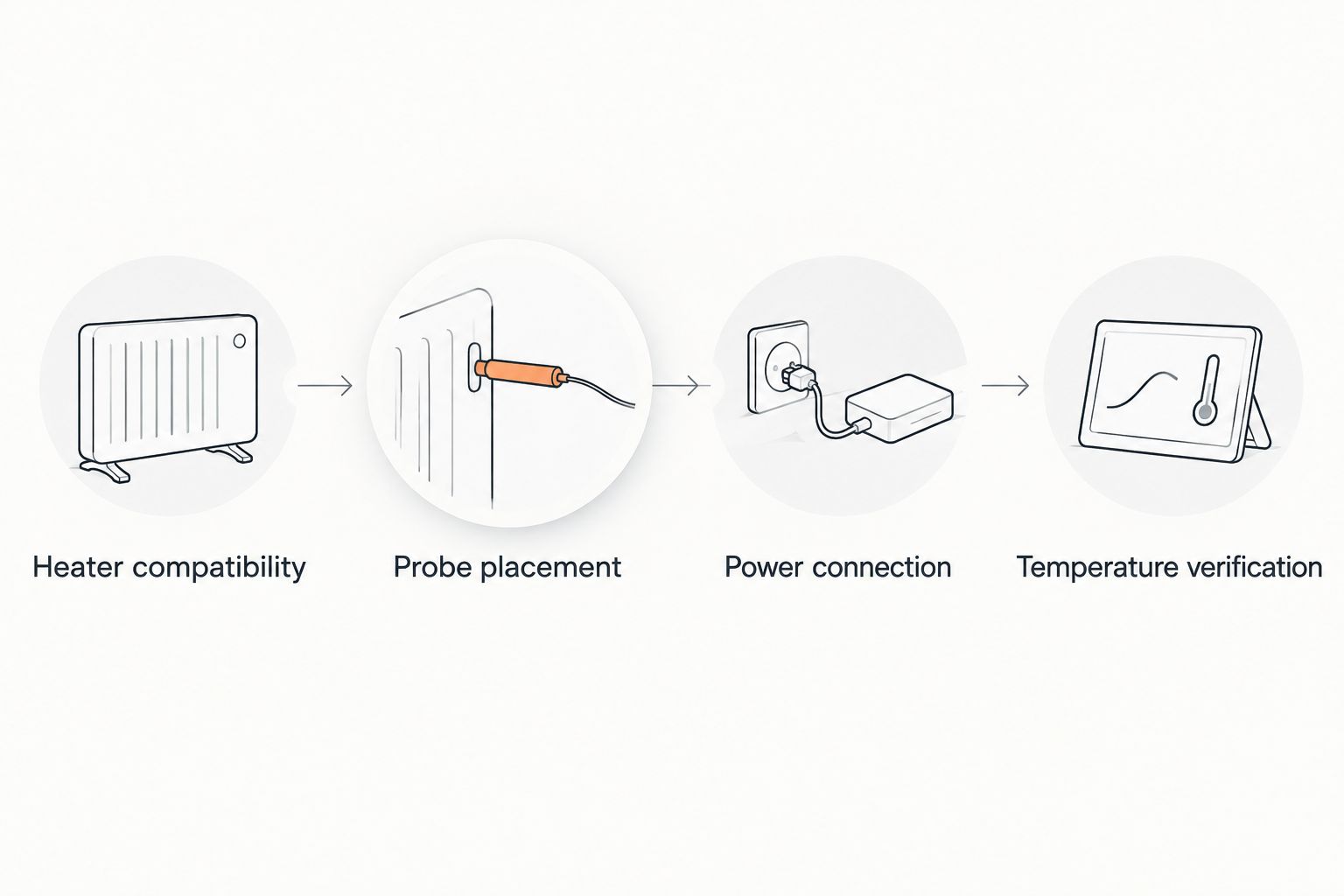
Record these checkpoints so later changes have a clear baseline:
- Heater compatibility: heater model, controller model and control mode.
- Probe placement: exact sensor position and fixing method.
- Power connection: which controlled output supplies the heater.
- Temperature verification: setpoint and independently measured enclosure temperatures.
A photo of the secured probe and a written record of the readings make it easier to detect a changed setup. Recheck after replacing equipment, moving furnishings or altering ventilation.
Add a day/night temperature schedule
A day/night schedule is a useful second workflow only when the species requires it and the thermostat supports it. It is not a substitute for checking the enclosure's actual conditions.
Configure the daytime and night-time setpoints using the controller's documented scheduling method. Check its clock where relevant, then confirm how the schedule affects the connected heater.
Measure conditions during both periods. A non-light-emitting heater and a visible-light basking lamp have different implications for night-time operation; do not use a schedule that leaves a visible lamp disturbing the animal's required dark period.
If your controller lacks scheduling, do not assume adding a timer will create safe temperature control. A timer switches power by time, not temperature. Assess the full arrangement against the heater instructions and species requirements before adding another device.
Troubleshooting
The heater stays on but the enclosure is too hot
Switch off the heater if measured conditions are unsafe. Check whether the heater is connected to the controlled output, whether the probe has moved to a cooler location and whether the selected mode suits the heater.
Do not simply reduce the setpoint while leaving a loose probe or incorrect connection unresolved. Fix the cause and retest before the animal uses the affected area.
The display looks correct but the basking surface is too hot
The probe and surface are measuring different locations or conditions. Check the basking surface independently, then review probe placement, heater distance and installation instructions.
An infrared thermometer measures surface temperature, not air temperature. Its readings also depend on the surface and the instrument's limitations; follow its instructions rather than treating every reading as interchangeable.
The lamp flashes or repeatedly goes dark
Check whether the controller is using on/off or pulse operation with a light-emitting heater. Stop using an unapproved combination and select equipment with a compatible control method.
A dimming arrangement is suitable only where both devices support it. Changing a menu option does not make an incompatible lamp safe.
The thermostat reports a probe error
Stop normal operation and follow the controller's fault instructions. With power disconnected, check that a detachable probe is seated correctly and inspect its cable for damage.
Do not bypass the sensor or rely on the heater running continuously. Replace a damaged probe with the manufacturer's approved part.
The heater cannot reach the required temperature
Verify independent readings first, then inspect the heater's installation, enclosure ventilation and room conditions. Check whether the controller is actually calling for heat.
Do not exceed equipment ratings or remove essential ventilation to force the temperature upwards. The installation needs to achieve the required warm area without overheating accessible surfaces or eliminating the cooler retreat.
Customise your workflow
Build temperature checks into enclosure maintenance. Confirm the probe position after cleaning, replacing substrate or rearranging branches, hides and basking surfaces.
Reassess the setup when room conditions change, particularly where seasonal temperatures affect the enclosure. Check the cooler area as carefully as the heated area: a thermostat that reduces heater output cannot actively cool an enclosure.
When choosing replacement equipment from Aqua Life Pet & Aquarium, check the exact model's instructions, rating and intended use. For an online order, confirm the item's current delivery terms rather than assuming that every enclosure or stand has the same shipping eligibility.
FAQ
How do I connect a reptile heater to a thermostat?
With power disconnected, connect the heater to the thermostat's designated controlled output and install the probe according to the manuals. Confirm compatibility, configure the controller and verify enclosure temperatures independently before normal use.
Where should the thermostat probe go in a reptile enclosure?
Place the probe where the heater and thermostat manufacturers specify for that installation. Secure it against movement and check the warm area, cooler retreat and relevant surfaces separately.
What temperature should I set my reptile thermostat to?
Use a setpoint based on your species' requirements and the specified probe location. Confirm actual enclosure temperatures with independent measurements rather than assuming the setpoint equals the basking temperature.
Can I use an on/off thermostat with a basking lamp?
Use that combination only if both manufacturers approve it. On/off operation interrupts the lamp's light as well as its heat; a compatible dimming setup adjusts output instead.
Can one thermostat control more than one reptile heater?
Only use multiple heaters if the controller manufacturer permits the arrangement and the combined load stays within its rating. A shared probe does not independently regulate separate enclosures or different heated zones.
Do I need a thermometer if I already have a thermostat?
Yes, independent temperature measurements are needed to verify enclosure conditions. The thermostat reads its own probe, which does not establish the temperature of every accessible surface or the cooler retreat.
Should I connect my UVB light to the heat thermostat?
Keep UVB lighting on its appropriate supply unless the documented system specifically supports combined control. Heat demand should not accidentally determine the animal's UVB lighting schedule.
One last thing
Test probe security, not just the temperature display. With the heater switched off, check that normal cleaning and enclosure access do not pull the sensor out of position; then restore the setup and verify temperatures again. A correctly configured thermostat depends on a probe that stays where you put it.